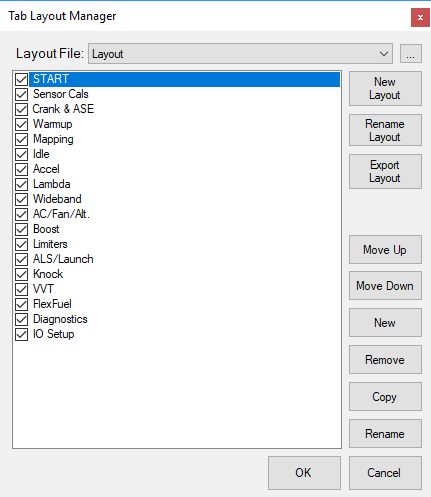
Layout Manager
The Layout Manager can be accessed from the View Menu.
It allows you to add/delete and duplicate Tabs in the software, as well as just temporarily hide them.
You can also create new layouts, import layouts sent to you, or, export layouts.
Any layouts you have worked with will appear in the drop down list at the top of the window. This is useful to go back to Default Layouts if you make a mess of the current layouts when first experimenting. MEITE will also prompt you on exit if you want to save the changed you have made to current layout (such as moving or adding DROs etc). Its generally a good idea to not save the changes unless you have specifically changed things to your liking. Most parts of the manual assume a Default Layout is used with the correct DROs etc open.